AN Alpesh Nakrani
SolutionsBlogBooksPraiseAbout Work with me ↗

From inbox to coded, matched,
and routed.

A four-stage pipeline, not a single black-box model. Each stage reads your own data, returns its work for inspection, and hands anything uncertain to a person. Here is exactly what happens to an invoice, in order, and where the machine stops and your team begins.

  • Capture
  • 3-way match
  • Code & route
  • Human exception gate
The pipeline

Four stages. Scroll through the console.

The panel on the left is the same accounts payable console at each stage. As you read the steps, watch what the agent produces, and where it stops.

Accounts Payable
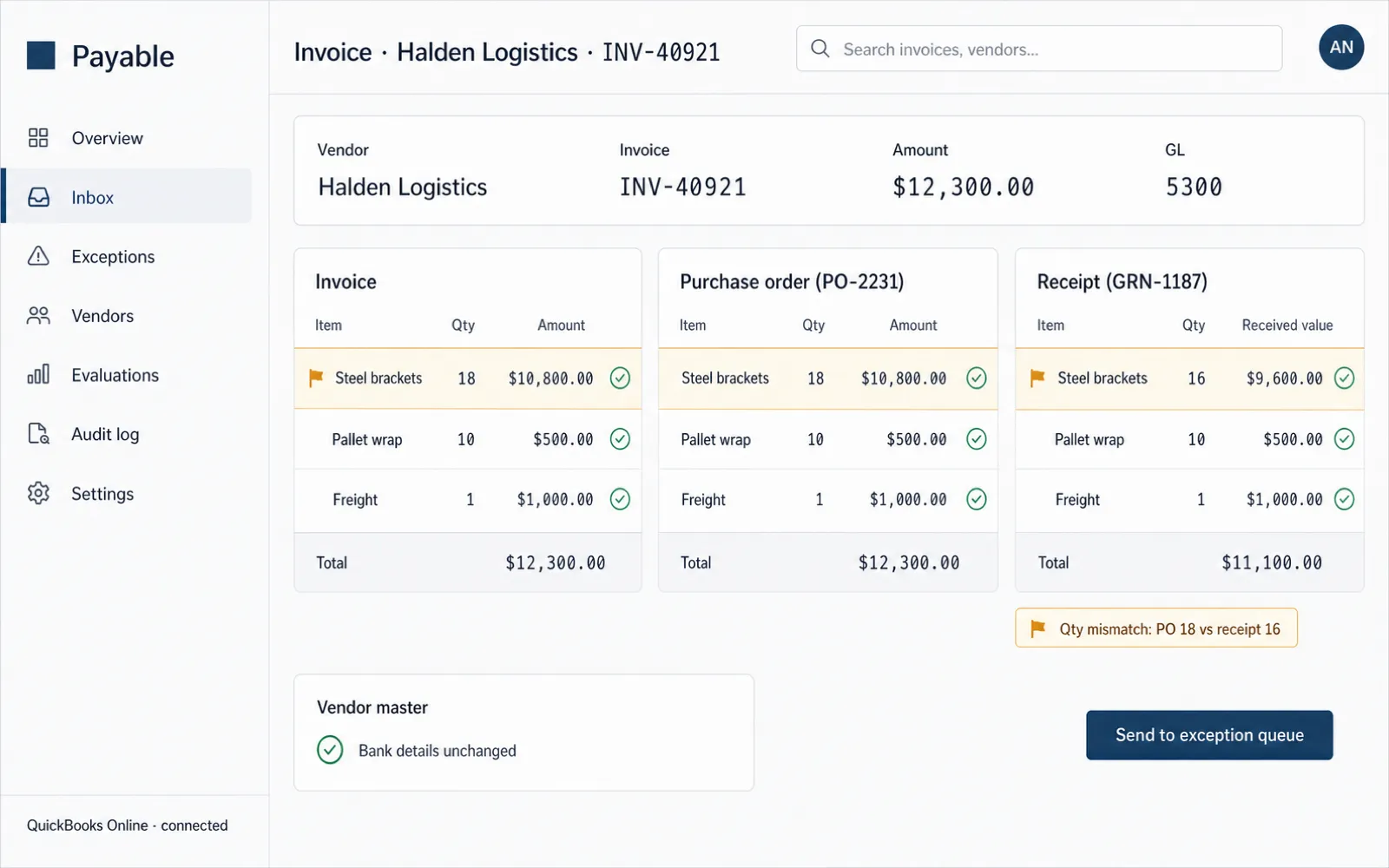
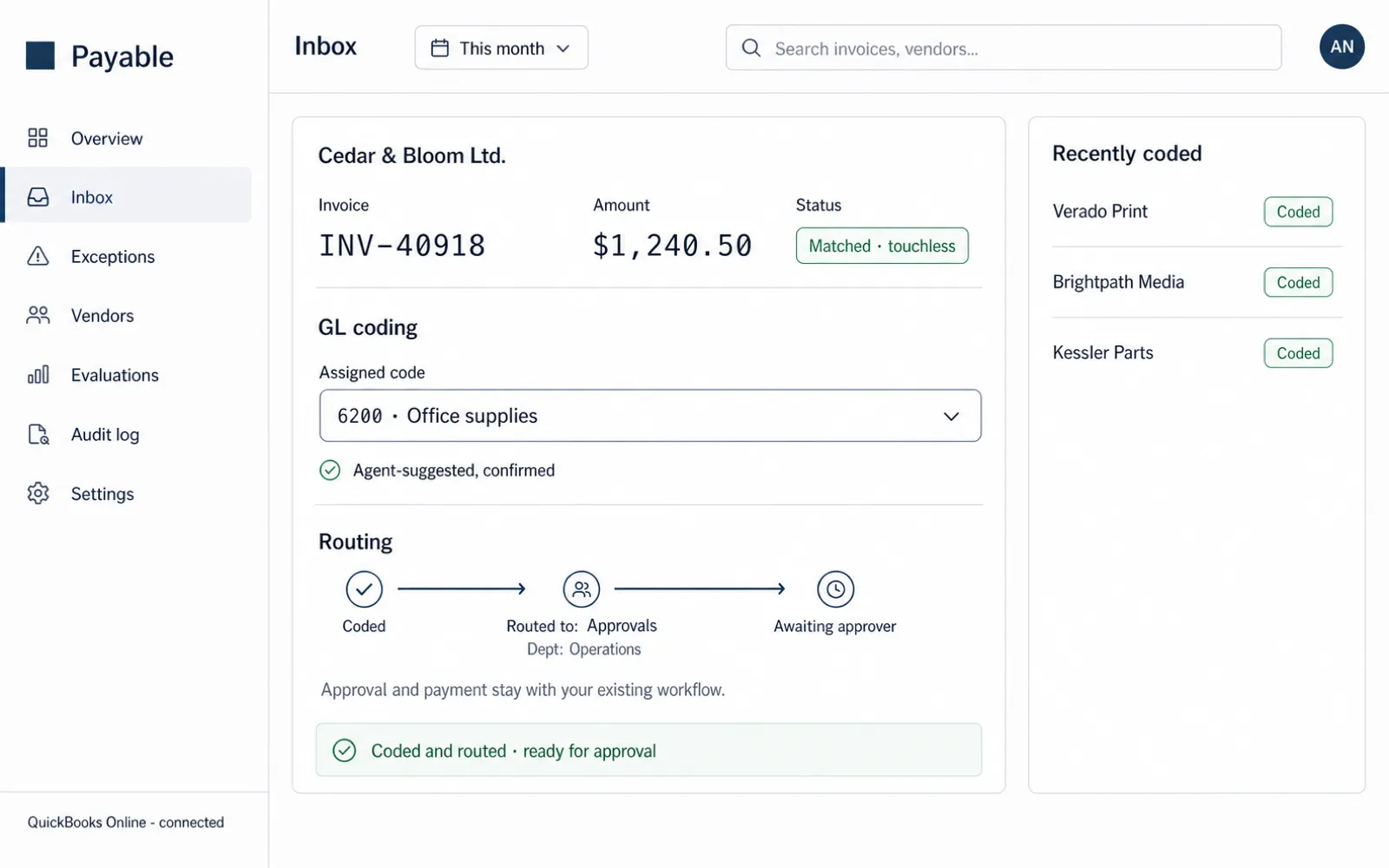
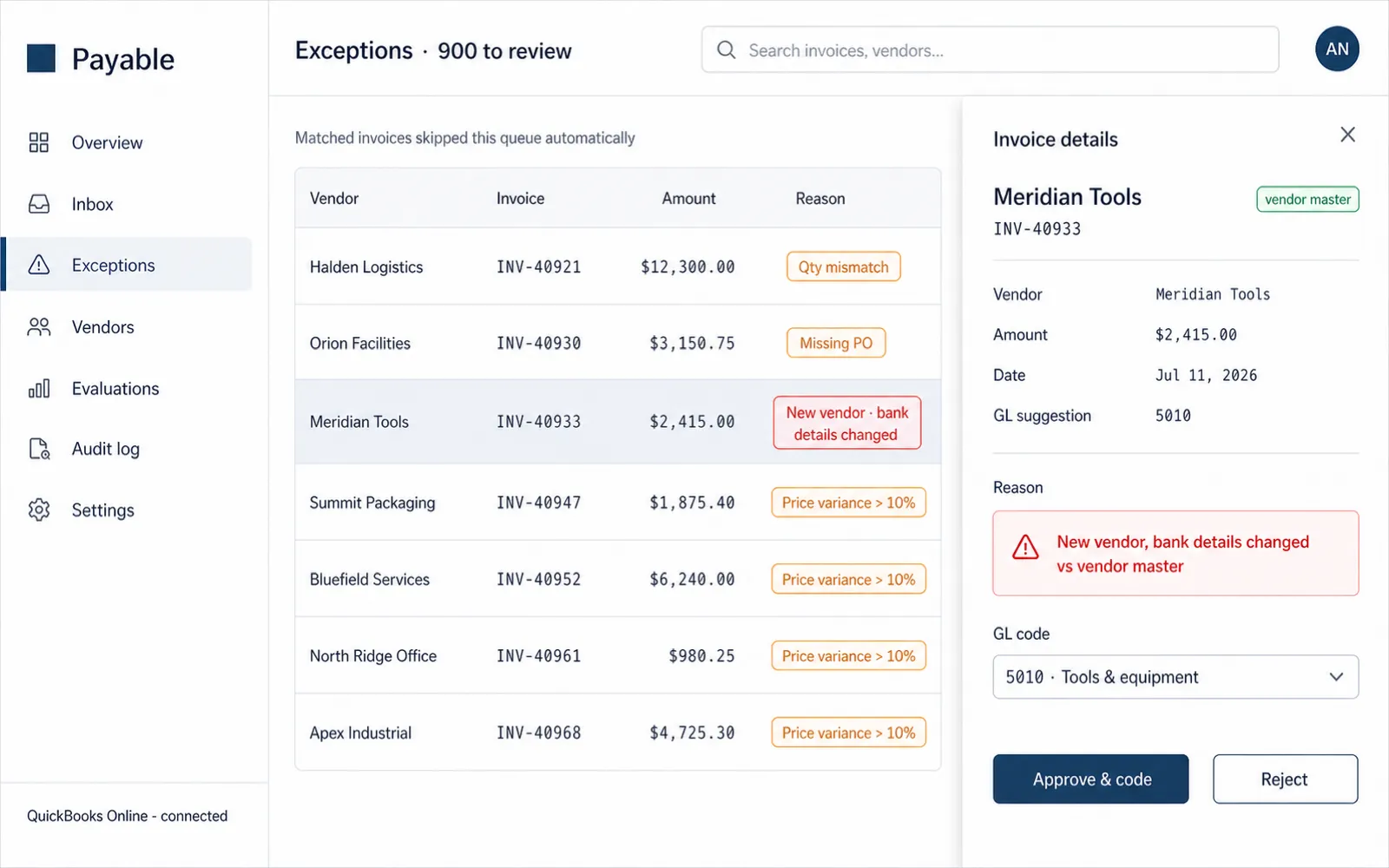
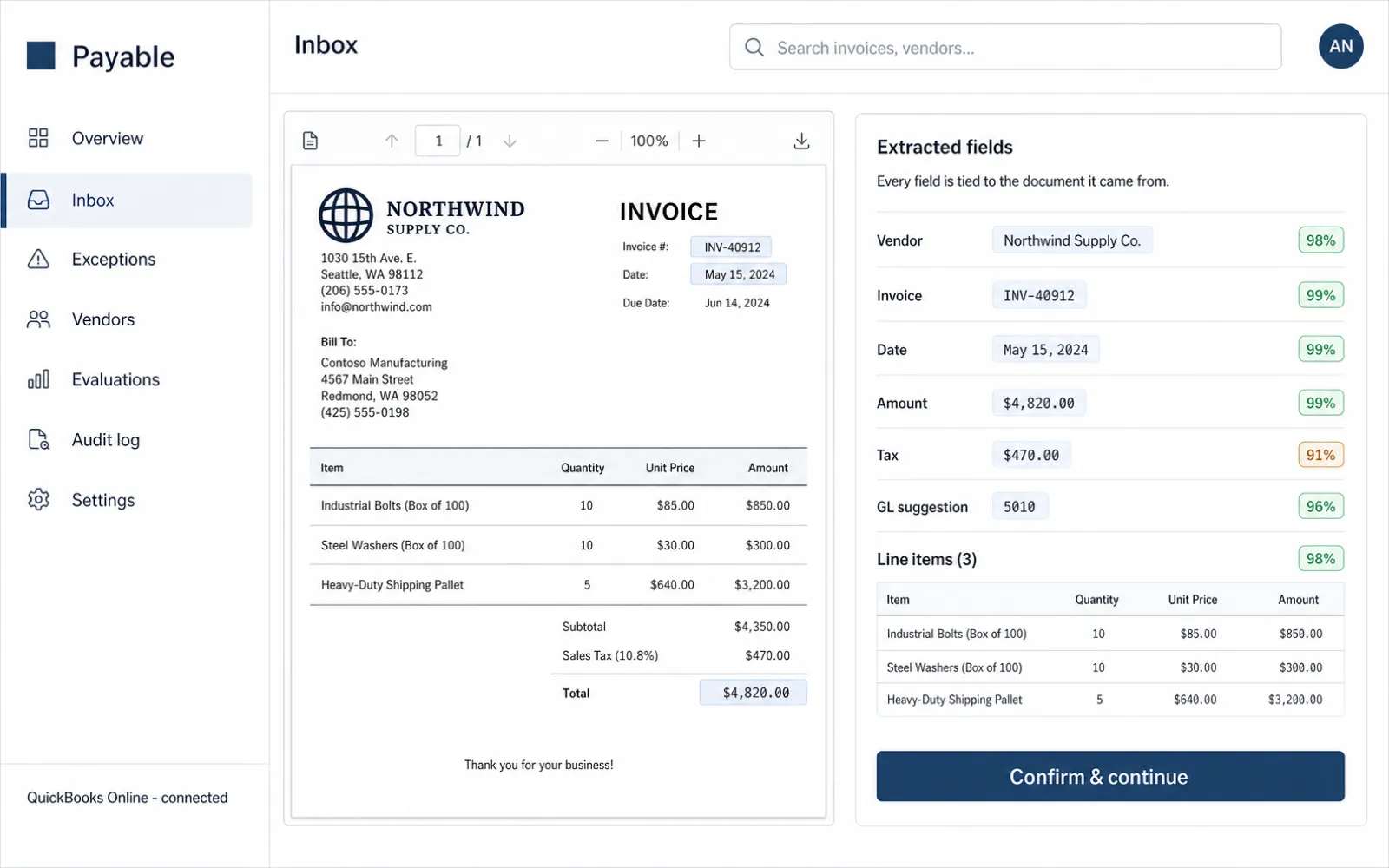
Capture stage of the accounts payable console. Illustrative data.Match stage of the accounts payable console. Illustrative data.Code & route stage of the accounts payable console. Illustrative data.The exception gate stage of the accounts payable console. Illustrative data.

The console at each stage. Illustrative data.

01

Capture

Invoices arrive the way they already arrive: a PDF attached to an email, a scan dropped in a folder, or a file from an EDI feed. The capture stage watches those sources and, for each new document, runs intelligent document processing to extract the fields that matter, vendor, invoice number, date, PO reference, subtotal, tax, total, and every line item.

This is not template OCR that breaks the moment a vendor redesigns their invoice. Extraction is model-based and grounded: each value is tied back to the region of the document it came from, so a reviewer can see why the agent thinks the total is $4,820.00, not just that it says so. Low-confidence fields are flagged, not guessed.

Out: a structured invoice record with a confidence score on every field, ready for matching. Nothing keyed by a human.

02

Match

With a clean record, the agent runs the three-way match, the control that keeps AP honest. It lines the invoice up against the purchase order that authorized the spend and the receipt that confirms the goods arrived. Quantities, prices, and totals have to agree within the tolerances you set.

Along the way it checks the vendor master: a brand-new vendor, or a bank detail that just changed, is exactly the signal fraud hides behind, so those invoices are held for a human regardless of whether the numbers match. A clean match is a candidate for touchless; anything else is routed, with the reason attached, to the exception gate.

Out: a verdict and a confidence score. Clean matches flow on; everything else gets a reason and a queue.

03

Code & route

A matched invoice still needs a general-ledger code and a path to approval. The agent assigns GL codes from your chart of accounts and the patterns in your own history, the same vendor and expense type coded the way your team has always coded it. When it is unsure, it proposes a code and marks it for confirmation rather than committing silently.

Then it hands off. Coded invoices flow into the approval chain you already run inside QuickBooks Online, Xero, or NetSuite, pre-populated and ready for the approver who would have received them anyway. The agent removed the data entry, not the accountability.

The hard line: it codes and routes. It does not approve and it does not pay. That boundary is enforced in code.

04

The exception gatehuman gate

This is the stage that makes the whole thing safe, and the one most automation quietly skips. Everything the agent could not clear with confidence lands in one exception queue, captured, coded as far as possible, and annotated with the exact reason it stopped. Your team works that queue, not the whole inbox.

Two things follow. The messy invoices that would have failed a naive automation do not disappear or get force-matched, they surface with context where a human resolves them fast. And the queue is a diagnostic: when the same PO gap shows up every week, it tells you where your upstream process leaks. Fixing that raises your touchless rate more than any model tuning.

PO not foundqty mismatchprice varianceduplicate suspectednew vendor
Reference architecture

Grounded, human-in-the-loop, fully auditable

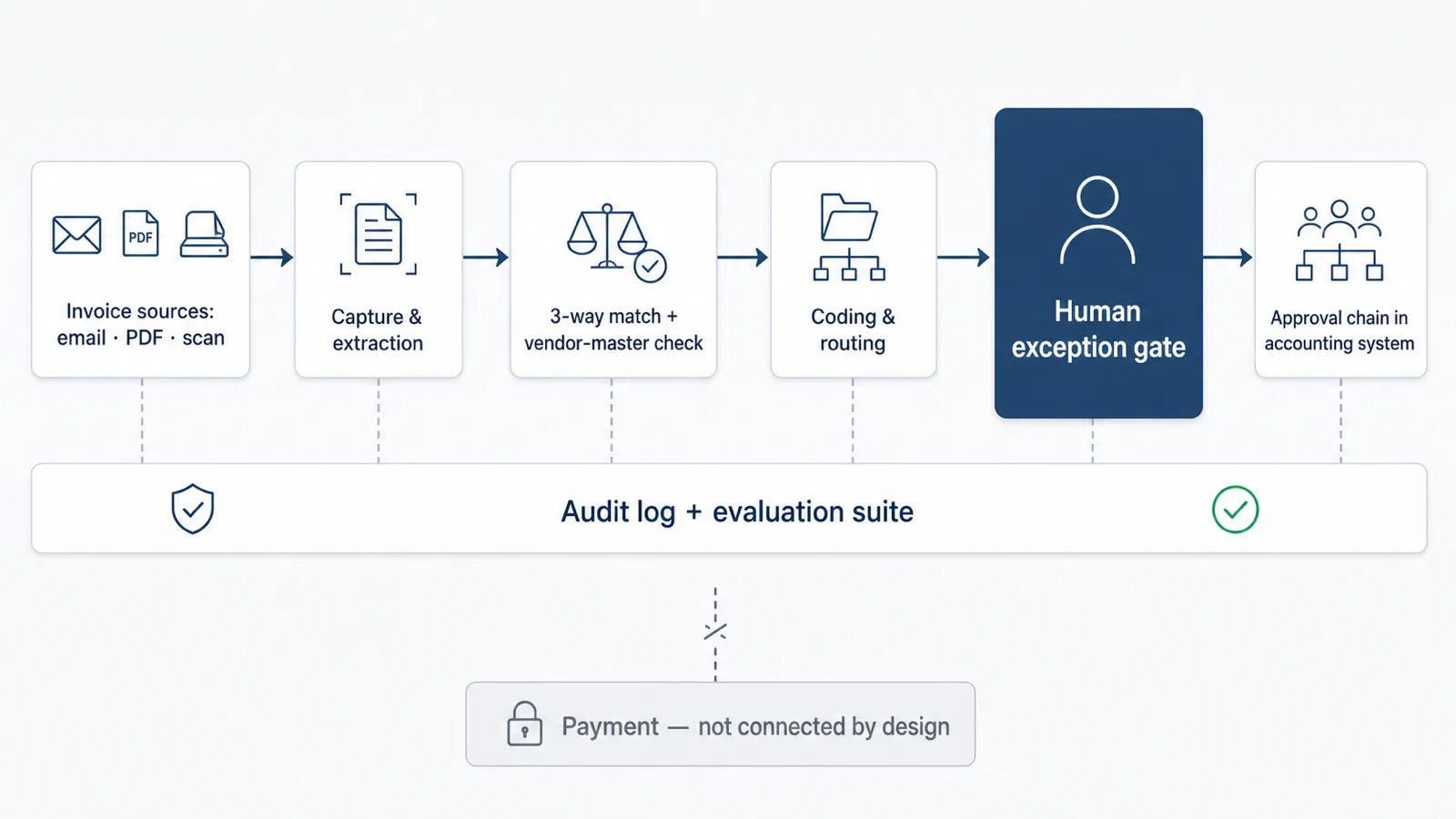
The same pipeline drawn as a system. The human gate sits between the machine's work and any write-back; an audit-and-evals lane runs alongside the whole thing; and there is no payment path by design.

Reference architecture: invoice sources feed capture and 3-way match, then a human exception gate, then coded write-back to the accounting system, with an audit and evaluation lane alongside and no payment path
Reference architecture. No payment path exists by design.
Under the hood

Model strategy and inputs

Model strategy

Extraction and the reasoning around ambiguous matches use a capable frontier model; high-volume classification and normalization use a smaller, faster model to keep cost down. Crucially, the deterministic parts stay deterministic: the 3-way match arithmetic, tolerance checks, and duplicate detection are code and rules, not a language model guessing. Document AI handles OCR and layout; a Postgres database with pgvector holds vendor and historical-coding context for retrieval. Models are a component, not the whole system, and they are swappable as better and cheaper ones ship.

Inputs it reads
  • Invoices (email, PDF, scan, EDI)
  • Purchase orders and receipts
  • Your vendor master
  • Your chart of accounts
  • Historical coding decisions
  • Approval-routing rules

Access is scoped to the minimum necessary and isolated per tenant. Details on the Security and Integrations pages.

Delivery

How the five weeks run

  1. Week 1

    Discovery

    Map the invoice flow, pull invoice history, define tolerances and the exception taxonomy, and fix acceptance thresholds in writing.

  2. Week 2

    Golden dataset + capture

    Label historical invoices and stand up extraction against your real formats.

  3. Weeks 3–4

    Match, code, route

    Build the 3-way match engine, the GL-coding agent, the accounting-system integration, and the exception queue.

  4. Week 5

    Parallel run

    The agent processes live invoices alongside your team. Cutover happens only when the eval thresholds clear. How it is measured is on The proof.

  5. Days 1–30

    Stabilization

    I watch the dashboard, tune extraction on stragglers, then hand you the keys and the runbook.

Keep reading

The pipeline is only trustworthy
if it is measured.

Every claim on this page is verified by an evaluation suite that ships with the build and a parallel run that proves your real touchless rate before you cut over. That is the part most vendors will not show you.

Ask AI about how the AI accounts payable automation agent works